New in Forge WP: a built-in MCP server for Claude and ChatGPT. How it works

MCP · Claude · ChatGPT
Edit your store by chatting.
Say what you want. The assistant in your own Claude or ChatGPT app reads your store, prepares a draft and publishes it when you confirm. No plugins, no API keys.
-
Conversation
On the home page, change the hero heading to “Autumn sale”.
get-contentupdate-content
Done. The previous version is saved as a revision.
-
Settings in WordPress
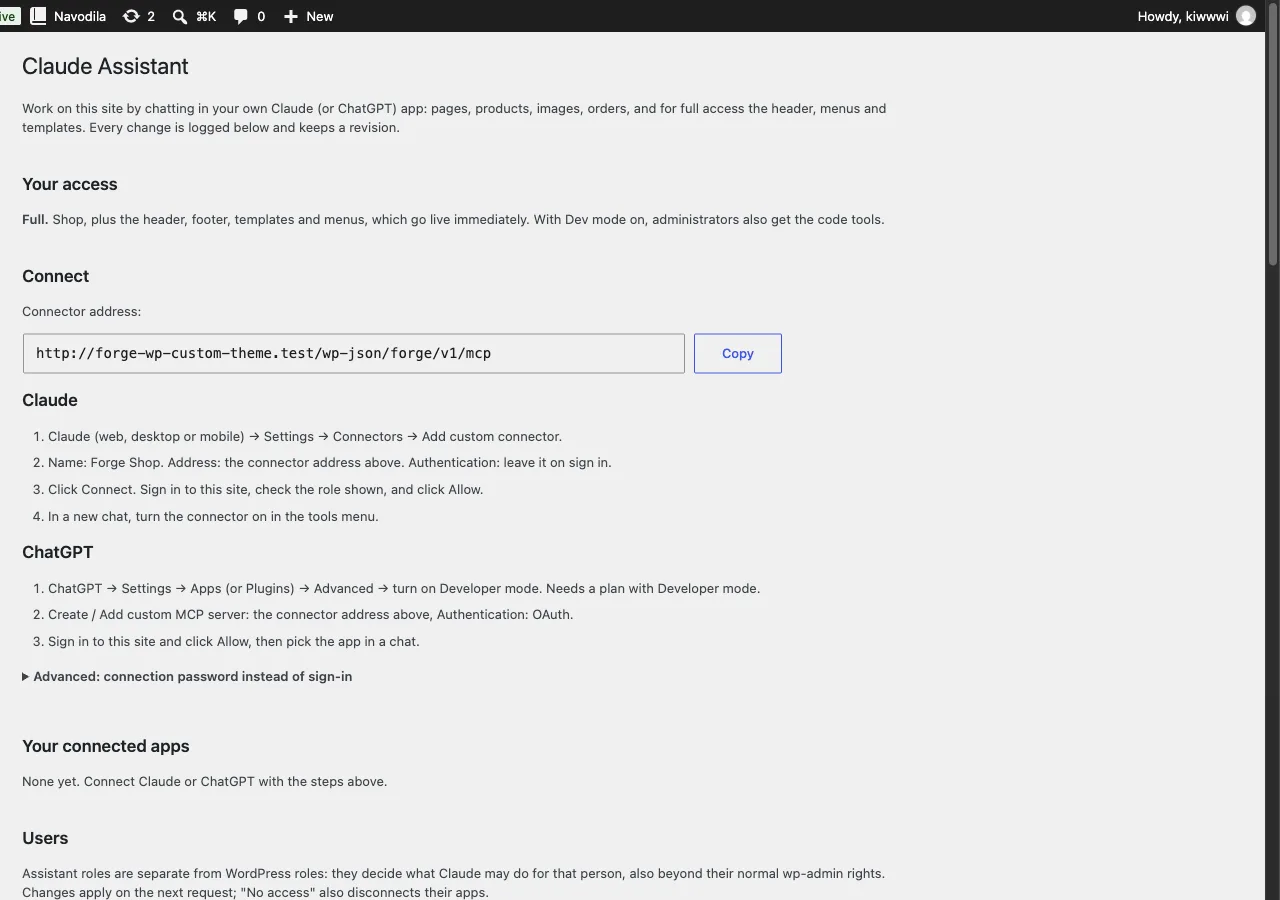
34 tools for pages, products and orders
-
Result

Draft before anything goes live
Works with
- Claude
- ChatGPT
- WordPress Abilities API
- OAuth 2.1
- WooCommerce
How it works
Connect once, then just write.
The assistant does not click around the screen. It goes through the same WordPress doors as the editor, with the same permissions, checks and revisions.
-
Connect the app
In Claude or ChatGPT, add a connector with your store’s address and sign in as a WordPress user.

-
Write and confirm
The assistant prepares the change as a draft. Publishing is a separate tool, so the app asks you before anything goes live.

-
Undo any time
Every change goes through WordPress and has a revision. Restore it in the editor or ask the assistant to.

Examples
What you can ask the assistant.
Real requests and the tools the assistant uses for them.
-
Content
Write an “About us” page from these three sentences and keep it as a draft.
create-page
A draft page with your text in theme blocks.
-
Content
Make a landing page for an autumn lighting offer.
site-overviewlist-product-categoriescreate-page
A hero, a product grid from the category and a button.
-
Products
Add “Oak bench”, €189, to the Benches category and use this photo.
upload-mediacreate-productset-featured-image
A new product with price, category and image.
-
Products
Add the bulb type to the short description of every lamp in Lighting.
list-productsupdate-product
Updated descriptions, each with a revision.
-
Orders
Which orders are waiting for a UPN payment?
list-orders
A list of orders with status and total.
-
Orders
Mark order 1043 as shipped and add a note with the parcel number.
update-order-statusadd-order-note
New status and a note on the order.
-
Design
Change the phone number and opening hours in the footer.
get-contentupdate-content
The footer is updated on every page.
-
Design
Reset the header to the theme original.
reset-to-theme
The header as the theme ships it.
Safety
The assistant may do exactly what you allow.
An administrator sets the role per user. It applies from the next call, no new sign-in. Without a role, the assistant sees nothing.
-
Content
Pages, posts, patterns, images and products. Deletes nothing, only moves to the trash.
-
Shop
Everything in Content, plus orders: read, status and notes.
-
Full
Plus header, footer, templates and menus, and a reset to the theme original.
-
Dev mode
Theme code for developers. An administrator turns it on, it switches off after 8 hours and is not available in production.
What is MCP?
The Model Context Protocol is an open standard that lets an AI app use the tools of another app. Forge has an MCP server built into the theme.
Which apps can I connect?
Claude (web, desktop or mobile) through a custom connector, and ChatGPT in developer mode. Check with the app provider what your plan allows.
Does the assistant see customer data?
Only with the Shop or Full role, which include orders. With the Content role it does not see orders.
What if the assistant makes a mistake?
New pages are drafts, publishing is a separate step, and every change has a revision you can restore.
Can the assistant change code?
Only in dev mode, which an administrator turns on. It switches off after 8 hours and is not available in production.
Do I have to use the assistant?
No. It is an extra. You can edit everything yourself in WordPress.
Try it
Show us your store. We show you the assistant.
Send a link. We set up a short session where the assistant edits the demo store in front of you.
- Session
- The assistant, live On the demo store, with your own examples.
- Plan
- What it would do for you Content, products or orders, and who gets which role.
- Offer
- A fixed price and a date Before you decide. No obligation.